Originally published on instaspy.ai by the InstaSPY.ai Team.
Elevating Event Marketing Through Data In the high-stakes world of event management, a vibrant Instagram presence is a non-negotiable cornerstone of brand visibility. While posting captivating visuals is the vital first step, true mastery lies in understanding how your audience consumes your content. Instagram story analytics for event planners provide the essential roadmap for turning fleeting 24-hour updates into measurable business results. By leveraging data, you transform your social media strategy from a creative guess into a scientific approach that maximizes attendance and engagement. Every tap, swipe, and dwell time measurement acts as a pulse check on your audience, telling you exactly what captures their imagination and what causes them to abandon your narrative.
Deciphering the Architecture of Instagram Story Metrics To optimize your strategy, you must first speak the language of Instagram insights. These metrics are not merely numbers; they represent the behavior of your prospective attendees and provide a clear window into their interests. Instagram serves stories based on an algorithm that prioritizes engagement, meaning the metrics you track directly influence how your future content is distributed.
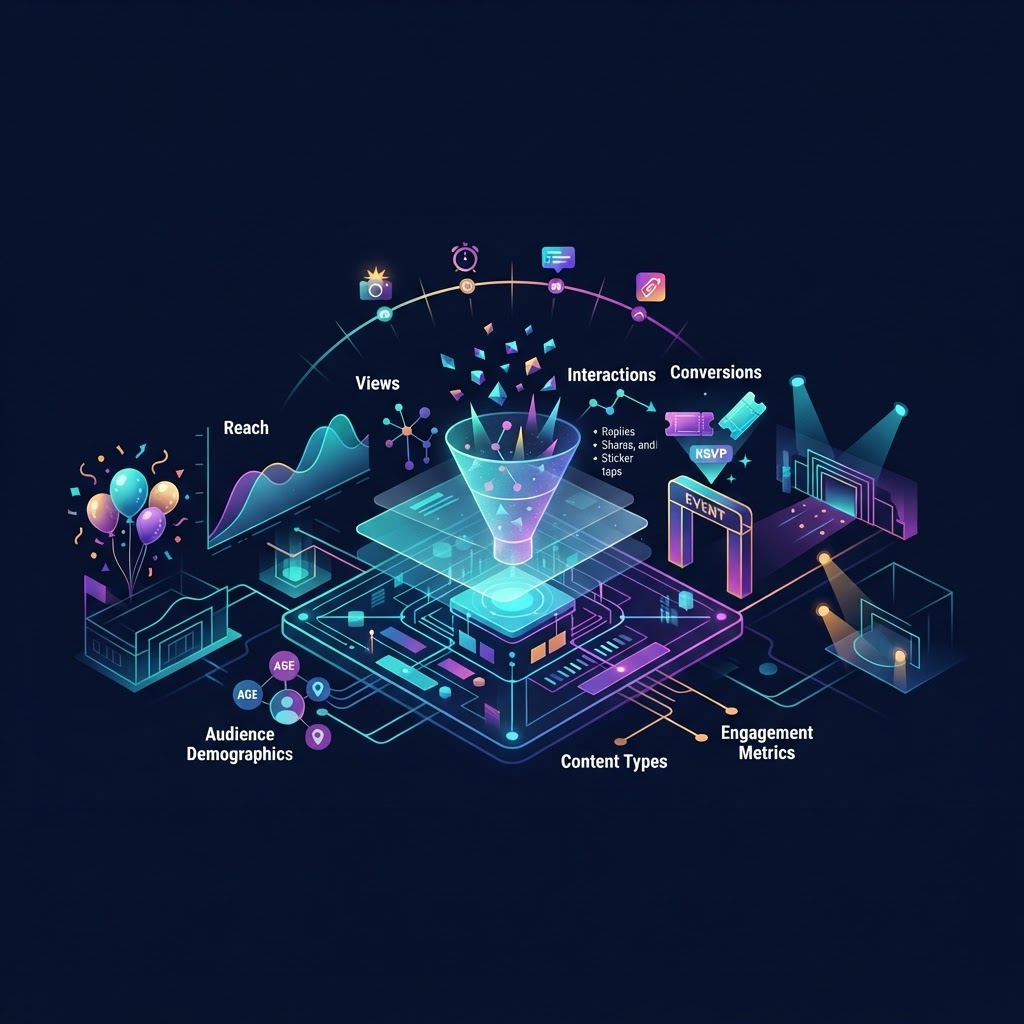
Core Performance Indicators * Reach: The number of unique accounts that saw your story. This reflects your total brand awareness within your niche. * Impressions: The total number of times your story was viewed, including repeat views. High impressions relative to reach indicate highly engaging or replayable content. * Navigation Metrics: Tracking 'Taps Forward' and 'Taps Back' helps you understand what content grabs attention and what causes users to skip or return to previous slides. * Completion Rate: Calculated by dividing the number of users who watched until the end by the number who saw the first slide. This is a primary indicator of your storytelling quality and audience retention. * Profile Visits: A crucial metric for event planners, as it tracks how many users clicked through to your bio, where your ticket registration or RSVP link typically resides.
The Mechanics of Engagement Attribution When a user interacts with a story, Instagram notes the type of interaction. A 'Share' is weighted differently than a 'Like.' For event planners, the most valuable metric is the 'Sticker Tap.' Whether it is a location tag, a mention, or a countdown, these interactions signal intent. Understanding the difference between 'Exit' (someone swiping away) and 'Next' (someone skipping to the next slide) is vital to refining your pacing. If you are analyzing industry trends to see how top creators promote events, you can visit the analytics research tools available to observe content formats anonymously. This allows you to gain a competitive edge by observing high-performing strategies without alerting competitors to your research process.
Deep Dive into Audience Insights and Demographics Beyond basic views, Instagram provides demographic data that is crucial for event planners. By examining the age, gender, and geographic distribution of your viewers, you can tailor your event's theme and marketing tone to match your target demographic. This level of granular personalization is what separates successful event planners from the rest.
Leveraging Demographic Data for Event Strategy If your analytics indicate a spike in viewership from a specific city where you are planning an upcoming roadshow, you can pivot your content to include location-specific countdowns or localized contests. If the data shows your audience is predominantly in a specific age bracket, you can adjust your music, aesthetic, and language to ensure the event resonates with that group. Furthermore, by observing the time zones of your most active followers, you can schedule your posts to hit the "prime time" of your core audience, ensuring your announcements do not get buried in the feed during off-peak hours.
Analyzing User Intent via Interactive Stickers Interactive stickers—polls, quizzes, and emoji sliders—are not just for fun; they provide zero-party data. Use a poll to ask, "Which guest speaker are you most excited to see?" or a countdown sticker to track intent to attend. The data from these interactions provides a clear signal of community interest, helping you allocate your marketing budget toward the most popular event features. These interactions provide a secondary benefit: they increase the visibility of your story in the algorithm, as Instagram favors content that encourages active user participation.
Optimizing Your Content Workflow with Data Analytics should inform your content calendar, not just describe past failures. If your data shows that behind-the-scenes "setup" videos result in higher profile visits, prioritize that content in the weeks leading up to your event. If your audience engages more during evening hours, shift your primary announcements to those times.
Comparing Content Formats A successful event strategy requires testing multiple content styles. By tracking completion rates against your content type, you can isolate which narratives keep viewers hooked. For example, if you find that interview segments under 15 seconds have a higher retention rate than those over 30 seconds, you can immediately adjust your editing style for future posts.
Common Mistakes in Analytical Interpretation One common error is fixating on vanity metrics like follower count while ignoring reach-to-follower ratios. Another mistake is failing to track the performance of highlights. Highlights are evergreen; checking their aggregate data reveals how prospective attendees view your past work to decide if they want to attend your future events. You must look at the historical data of your highlights to understand the "onboarding" process of new followers who discover your account after a major event announcement.
Try InstaSPY now
View your first Instagram profile anonymously for free
Enter a username to view available stories, highlights, reels, and posts without an Instagram login.
No Instagram password required
Technical Edge Cases and Troubleshooting Whether using iOS or Android, the interface for viewing analytics remains largely similar, but glitches can occur. Sometimes, story insights may take 24-48 hours to fully populate. If you notice a sudden drop in reach, check if your account was flagged for community guideline violations, which can shadow-restrict the visibility of your stories.
Device-Specific Considerations and Lag Time On older device hardware, the app interface may load insights more slowly. Always verify your stats via Meta Business Suite on a desktop if your mobile app seems unresponsive. Data latency is common during high-traffic periods, such as when your event is trending or when you are posting a high volume of stories. Wait for the data to stabilize before drawing conclusions about a campaign's success.
Troubleshooting Reach Drops A sudden drop in reach often points to a change in the Instagram algorithm or a decline in the relevance of your content. To diagnose this, compare your recent story engagement to content from 30 days prior. If all metrics are down, check your account status in the settings menu to ensure no flags exist. If only certain content types are down, you likely have a content/format mismatch.
Privacy, Ethics, and Strategic Research When analyzing your social presence, always focus on aggregate data provided by official platform insights. Never attempt to use unauthorized third-party apps that claim to provide "private" viewer identities or secret insights, as these frequently violate platform terms of service and can lead to your account being flagged or permanently banned. Focus on the actionable, public-facing insights provided by Instagram. For those managing multiple client accounts, conducting effective creator research is vital. Use established, safe methodologies to keep track of successful influencer partnerships and format trends in the event space while maintaining ethical standards and account security.
FAQs About Instagram Story Analytics
How often should I check my Instagram story analytics? For active event campaigns, monitor your analytics daily to see what resonates. For general brand building, a weekly review is sufficient to identify long-term trends.
Why is my story completion rate dropping? Low completion rates often suggest that the story is too long, the content is repetitive, or the hook—the first frame—is not compelling enough to hold attention.
Do I need a business account to access these insights? Yes. Instagram analytics are only available for Professional (Business or Creator) accounts. Switching to a professional profile is essential to track performance.
Can I use analytics to prove ROI to my clients? Absolutely. By showing reach, engagement rates, and how your stories drive traffic to registration links, you provide concrete data that demonstrates the value of your efforts.
What do 'Taps Back' signify in event promotion? 'Taps Back' can indicate highly engaging content that viewers want to re-watch, such as a promo code slide or a schedule graphic they need to screenshot.
How can I use analytics to improve future ticket sales? By identifying which stories lead to the highest volume of profile visits and link clicks, you can replicate those specific content formats in the lead-up to ticket launch dates.
Final Thoughts on Data-Driven Planning Instagram story analytics for event planners serve as the bridge between creative storytelling and professional accountability. By consistently measuring performance, iterating based on viewer behavior, and utilizing the right research tools, you ensure your events reach the right people at the right time. Data takes the guesswork out of the creative process, allowing you to build experiences that truly resonate with your audience and drive measurable business outcomes. Keep refining your approach, maintain your focus on audience behavior, and use the insights gained to create even more compelling event stories in the future.
InstaSpy.ai provides tools for viewing and analyzing public Instagram profiles privately, with no Instagram login.