Originally published on instaspy.ai by the InstaSPY.ai Team.
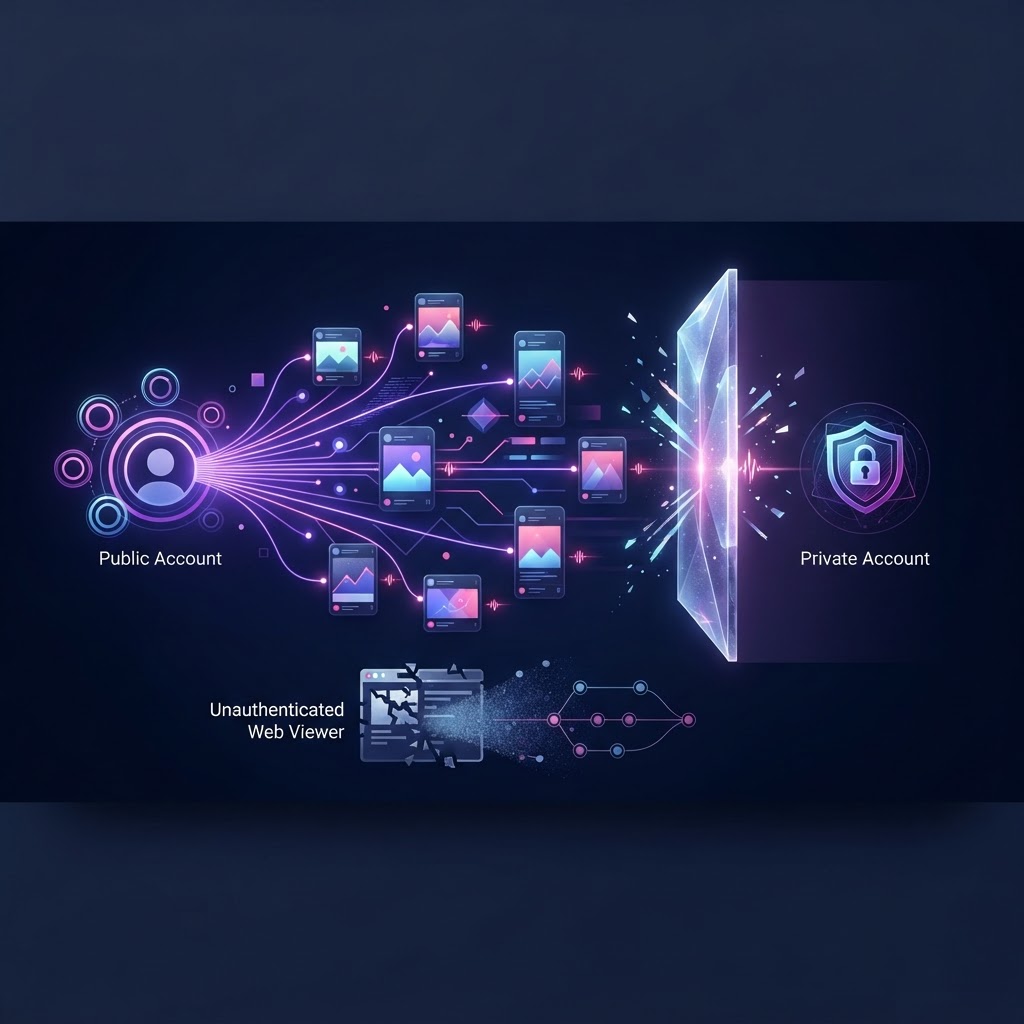
Anonymous Instagram viewers get blocked primarily because they rely on automated server requests to fetch public content without logging in. Instagram's anti-bot systems detect this high-volume, unauthenticated traffic and block the server IP addresses making the requests. Additionally, if a user attempts to view a private account, the viewer is inherently blocked by Instagram's privacy walls, as third-party tools cannot bypass server-side authentication requirements to access restricted media.
Key takeaways
- Instagram actively monitors for high-volume, unauthenticated requests and blocks the IP addresses of servers that exhibit bot-like behavior.
- Anonymous viewers act as middlemen, fetching public data on your behalf so your personal account is never linked to the view.
- Private accounts are a hard wall; no anonymous viewer can bypass Instagram's server-side authentication to show private stories.
- Rate limiting (HTTP 429 errors) is the most common reason a third-party viewer temporarily stops working or fails to load a profile.
- Using a reliable service that properly manages request routing is essential for consistent access to public stories, highlights, and reels.
The Mechanics of Anonymous Instagram Viewing
To understand why anonymous viewers get blocked, you first need to understand how they operate under the hood. When you use the official Instagram app, your device communicates directly with Instagram's servers using an authenticated session tied to your logged-in account. Every action you take—whether it is loading a profile grid, watching a reel, or tapping through a story—is logged and associated with your unique user ID. This is why your name appears in the viewer list when you watch a story normally.
An anonymous viewer fundamentally changes this architecture by introducing a middleman. When you enter a username into a third-party service, your device does not talk to Instagram. Instead, it talks to the viewer's server. The viewer's server then sends an unauthenticated, logged-out request to Instagram's public web interface to retrieve the requested content. Because the request originates from the third-party server and does not include your login credentials, your personal account is completely insulated from the transaction.
This architecture is highly effective for privacy, making it an ideal solution for users who want to browse public content without leaving a footprint. For example, this method is the backbone of The Ultimate Anonymous Story Viewer for Tablet Users, allowing seamless browsing on larger screens without requiring an app installation or login. However, because these servers are making thousands of requests on behalf of many different users, they generate traffic patterns that look very different from a normal human browsing on a smartphone. This discrepancy in traffic patterns is the root cause of most technical blocks.
How Instagram Detects and Blocks Third-Party Requests
Instagram, backed by Meta's massive engineering infrastructure, employs sophisticated anti-bot and anti-scraping mechanisms to protect its platform. These systems are designed to ensure platform stability, protect user data, and enforce the company's terms of service regarding automated data collection. When an anonymous viewer gets blocked, it is usually because it has tripped one of these automated defense systems.
The primary method of detection is IP reputation and traffic volume. A normal user might view a few dozen profiles and stories in an hour. A server hosting an anonymous viewer might attempt to fetch thousands of profiles per minute. Instagram's rate-limiting algorithms easily identify this anomalous spike in traffic originating from a single IP address or a known data center IP range. Once the threshold is crossed, Instagram temporarily or permanently blocks that IP address from making further requests.
Beyond simple volume, Instagram also analyzes request headers and behavioral fingerprints. When a web browser requests a page, it sends specific headers (like User-Agent strings) that identify the browser type, operating system, and device. If a third-party server fails to accurately simulate a legitimate browser environment, or if it strips out expected headers, Instagram's security systems will flag the request as automated. Furthermore, Instagram monitors the sequence of requests. A human user typically loads a profile, pauses to read the bio, and then clicks on a story. A poorly configured automated script might attempt to fetch the profile, stories, highlights, and reels all in the exact same millisecond. These non-human behavioral patterns are immediate red flags that result in blocked access.
The Hard Wall: Why Private Accounts Are Always Blocked
While technical blocks related to traffic volume can often be managed by sophisticated routing, there is one type of block that is absolute and insurmountable: the privacy wall. A frequent point of confusion among users is the distinction between viewing public content anonymously and attempting to view private content.
When an Instagram account is set to private, the platform's servers fundamentally change how that account's data is distributed. For an Instagram account, Instagram serves the photos, videos, and stories to anyone who requests them, whether they are logged in or not. For a private account, Instagram performs a strict server-side check before transmitting any media. The server verifies if the requesting account is an approved follower of the private account. If the authentication token is missing or belongs to a non-follower, the server simply refuses to send the data.
Because an anonymous viewer operates without your login credentials—and specifically relies on unauthenticated requests to maintain your anonymity—it is treated by Instagram as a stranger. Therefore, when a third-party tool requests a private profile, Instagram's servers block the request entirely. There is no workaround, hack, or bypass for this. Any website or application claiming to offer access to private accounts is either fundamentally misunderstanding how Instagram's architecture works or is actively attempting to deceive users. Understanding this boundary is crucial, as detailed in our guide on Instagram Story Viewer Privacy Explained: How Read Receipts Work. The block here is not a technical failure of the viewer; it is the system functioning exactly as designed to protect user privacy.
Rate Limits and IP Bans: The Technical Triggers
When you attempt to use an anonymous viewer and it fails to load a profile or returns an error, you are likely experiencing the effects of rate limiting. Rate limiting is a standard network security practice used to control the amount of incoming and outgoing traffic to or from a network. In the context of Instagram, it is the mechanism that prevents servers from being overwhelmed by too many requests in a short period.
If a third-party viewer sends too many requests to Instagram's servers, Instagram responds with an HTTP 429 "Too Many Requests" status code. This is a temporary block. It essentially tells the requesting server to back off and stop asking for data for a specific duration. If the viewer's infrastructure is not designed to handle these 429 errors gracefully—for instance, by pausing requests or routing them through a different IP address—the service will appear broken to the end user.
More severe than a temporary rate limit is an IP ban. If a specific IP address repeatedly violates rate limits or exhibits blatant scraping behavior, Instagram may permanently blacklist that IP. When this happens, any request originating from that server is instantly dropped. To maintain a functional service, reliable anonymous viewers must utilize complex proxy networks, rotating their outgoing IP addresses constantly to ensure that no single IP hits Instagram's rate limits. When a viewer gets "blocked" and stops working for hours or days, it usually means their proxy pool has been exhausted or identified by Meta's security teams, and they are scrambling to acquire new, clean IP addresses to resume fetching public data.
How to View Public Stories Anonymously Without Getting Blocked
For the end user, navigating these technical hurdles requires choosing the right tools and understanding the limitations of the ecosystem. Because the blocking happens between the third-party server and Instagram, there is nothing you can do on your personal device to "unblock" a viewer if its servers are currently rate-limited. Your best approach is to rely on robust platforms that have the infrastructure to manage these connections reliably.
InstaSpy.ai is designed to handle these complexities seamlessly. By utilizing advanced request routing, it allows you to watch Instagram stories, highlights, reels, and profile media anonymously without requiring an Instagram login. Because the platform manages the technical overhead of fetching public data, you do not have to worry about IP bans or rate limits affecting your personal network.
Furthermore, for users who need consistent monitoring without manually checking profiles and risking hitting temporary viewer limits, automation is key. With a subscription, InstaSpy.ai allows you to track a profile and receive alerts when it posts a new story. This is particularly useful for staying updated without constantly refreshing a page. You can learn more about setting up these workflows in our guide on How to Get an Instant Notification for New Story Posts Anonymously. Additionally, the Follow Tracker feature shows who an account recently followed and can alert you (in-app and by email) when a watched account follows someone new, providing comprehensive Instagram profile tracking without ever exposing your identity to Instagram's servers.
Understanding Instagram's Automated Data Collection Terms
The final piece of the puzzle regarding why viewers get blocked lies in Meta's official policies. Meta's Automated Data Collection Terms strictly govern how third parties are allowed to interact with their platforms. These terms explicitly prohibit the automated collection of data without express permission, even if that data is publicly available.
Instagram enforces these terms aggressively through the technical blocks discussed earlier. They do not distinguish between a malicious bot attempting to scrape user data for spam and a benign anonymous viewer fetching a public story for a curious user. To Instagram's security infrastructure, unauthenticated automated traffic is treated uniformly as a violation of their terms, which is why the cat-and-mouse game of IP blocking and proxy rotation exists.
It is important to note that while Instagram blocks the servers making these requests, the users utilizing web-based anonymous viewers are not violating the terms of service with their personal accounts, primarily because their personal accounts are not involved in the transaction. Because you do not log in to InstaSpy.ai with your Instagram credentials, your personal Instagram account is never at risk of being flagged, shadowbanned, or suspended for automated activity. The risk and the blocks are entirely absorbed by the third-party infrastructure, allowing you to view public content safely and anonymously.
Scenario 1: The Freelance Marketer Tracking Competitor Strategies
To understand the practical application of viewing content without an account, consider a freelance social media manager who needs to audit competitor strategies for a new client. This marketer wants to analyze how a rival brand uses Instagram Stories and Reels to engage their audience, but they need to do so without tipping off the competitor that they are being monitored. Using a personal or client account to view these stories would leave a record in the competitor's viewer list.
The Exact Steps:
- The marketer identifies the exact public Instagram handle of the competitor.
- They navigate to InstaSpy.ai and enter the target username into the search bar.
- The system processes the request through its infrastructure, absorbing any risk associated with why anonymous viewers get blocked.
- The marketer selects the "Stories" or "Reels" tab to view the active content.
What They Will See: The marketer will see all currently active stories posted by the competitor within the last 24 hours, as well as any publicly available Reels. They can view the content exactly as it appears on the app, allowing them to take notes on calls-to-action, visual branding, and posting frequency.
What They Will Not See: Because the competitor's account is public, the content is accessible. However, if the competitor switches to a private account mid-audit, the marketer will immediately lose access to new content. Additionally, they will not see any story interactions, such as poll results, sticker responses, or who else has viewed the story, as this data is restricted to the account owner.
Scenario 2: The Curious Individual Monitoring Follow Activity
Another common use case involves individuals who want to keep an eye on network changes. Consider a user who wants to know when a specific public figure or influencer changes their following list. They want to be alerted when this account follows someone new, perhaps to identify emerging trends or new brand partnerships before they are officially announced.
The Exact Steps:
- The user creates a subscription account on InstaSpy.ai to access tracking features.
- They input the target Instagram profile's username into the Follow Tracker tool.
- The user configures their notification preferences, opting to receive both in-app alerts and email notifications.
- The user lets the system run in the background, rather than manually refreshing the page (which is a common reason why anonymous viewers get blocked when users attempt it themselves).
What They Will See: The user will gain access to a log of the account's recent follows. When the targeted Instagram account follows a new user, InstaSpy.ai will trigger an alert, sending an email and updating the in-app dashboard to reflect the new addition to the following list. The user can also track general follower and unfollower changes over time.
What They Will Not See: The Follow Tracker can only monitor Instagram accounts. If the target account is private, the tracker cannot retrieve the following or follower lists. Furthermore, the tool will not reveal who requested to follow the account, nor will it show the exact chronological order of the entire historical follower list beyond the recent changes detected by the system.
Try InstaSPY now
View your first Instagram profile anonymously for free
Enter a username to view available stories, highlights, reels, and posts without an Instagram login.
No Instagram password required
Scenario 3: The Talent Scout Reviewing Creator Portfolios
A talent scout for an influencer marketing agency frequently needs to vet potential creators. This process involves deep dives into a creator's past content, specifically their Highlights, to gauge their consistency, past sponsorships, and overall aesthetic. The scout must remain anonymous during the initial vetting phase to prevent premature outreach or signaling interest before a formal decision is made.
The Exact Steps:
- The scout compiles a list of public creator usernames.
- One by one, they enter the usernames into InstaSpy.ai.
- They navigate specifically to the "Highlights" section of the results to review the curated collections of past stories.
- If a creator shows promise, the scout uses their subscription to set up a new story alert, ensuring they are notified when the creator posts fresh daily content.
What They Will See: The scout will be able to view all public Highlights pinned to the creator's profile. They can click through the categorized stories, viewing the media without an Instagram login. If they enable alerts, they will receive notifications when new stories go live, allowing them to monitor the creator's current activity without manual checking.
What They Will Not See: If the creator has deleted stories from their Highlights, those are permanently inaccessible. The scout will also not see any stories that were posted to a "Close Friends" list, as that content is strictly walled off from public access, regardless of the account's overall public status.
Detailed Step-by-Step Walkthrough: Using InstaSpy.ai Effectively
Understanding the mechanics of why anonymous viewers get blocked highlights the importance of using a specialized tool correctly. InstaSpy.ai is designed to handle the complex backend routing required to fetch public data, but users must understand the interface to maximize its utility.
Step 1: Accessing the Platform Begin by navigating to the platform. There is no need to log in with Instagram credentials. This fundamental separation is what keeps your personal profile completely isolated from the viewing process.
Step 2: Entering the Target Username Locate the main search input field. Enter the exact Instagram handle of the Instagram account you wish to view. Accuracy is crucial; typos will result in failed searches or retrieving the wrong profile.
Step 3: Navigating Content Tabs Once the profile loads, you will be presented with several tabs organizing the available public data:
- Profile: Displays the bio, follower count, and following count.
- Stories: Shows active content posted within the last 24 hours.
- Highlights: Grants access to the curated story collections pinned to the profile.
- Reels: Displays the short-form video content published by the user. Select the respective tab to view the content. The media will load directly within the interface.
Step 4: Setting Up the Follow Tracker To utilize advanced features, navigate to the Follow Tracker section. Input the desired Instagram username. Once activated, the system will begin monitoring the account's network. You can review the list of who the account recently followed directly on the dashboard.
Step 5: Configuring Subscriptions and Alerts If you require ongoing monitoring, access your subscription settings. Here, you can input a target profile to track for new stories. Ensure your email address is correct to receive external notifications. You can also configure alerts for when the tracked account follows someone new or to review follower and unfollower changes over time, streamlining the monitoring process into automated updates rather than manual checks.
The Technical Advantage of Automated Tracking
By leveraging tools like the Follow Tracker and story alerts, users indirectly bypass the frustrations associated with why anonymous viewers get blocked. Manual, repetitive refreshing of a single profile from a standard web connection is a primary trigger for Instagram's rate limits.
When a user relies on a subscription service to deliver alerts, the heavy lifting of periodic checking is distributed across robust infrastructure designed to respect platform limits. This systematic approach ensures that you receive the information you need—such as a notification that a watched account followed someone new or posted a fresh story—without engaging in the erratic browsing behavior that traditional security algorithms flag as suspicious.
Common Mistakes That Trigger Access Blocks
Understanding why anonymous viewers get blocked requires examining the specific user behaviors that trigger Instagram's defensive algorithms. Many users inadvertently cause their own access issues by treating an unauthenticated session exactly the same as a logged-in session.
The most frequent error is aggressive manual refreshing. When you find an Instagram profile of interest, constantly reloading the page to see if a new story has been posted sends a barrage of rapid-fire requests to Instagram's servers from a single, unauthenticated IP address. Without a user account to attach these requests to, the system interprets this high-frequency traffic as a potential denial-of-service attack or automated scraping script, resulting in an immediate, albeit temporary, IP block.
Another prevalent mistake involves ignoring the limitations of a standard web browser. Standard browsers leave highly identifiable digital fingerprints, including user-agent strings, screen resolutions, and cache behaviors. When you repeatedly access Instagram profiles without logging in, the platform's security mechanisms quickly identify this repetitive fingerprint. If the pattern of behavior deviates from how a typical human interacts with the site—for instance, loading dozens of profiles in quick succession without pausing to consume the content—the system will restrict access to protect platform integrity.
Furthermore, users often waste network requests attempting to view private accounts. Repeatedly hitting the endpoints of a private profile while logged out does not trick the system into granting access; instead, it raises a red flag. The platform's architecture explicitly denies these requests at the server level. Continually probing these restricted endpoints signals malicious intent to Instagram's automated security monitors, often leading to a broader block that prevents the user from viewing even Instagram accounts from that connection.
Finally, rapidly switching between multiple profiles on a single IP connection is a reliable way to get blocked. Human users typically spend time reading captions, watching videos, and scrolling through feeds. If your unauthenticated session is pinging fifty different Instagram profiles within a two-minute window, the velocity of these requests trips rate-limiting thresholds, resulting in a swift access denial.
Troubleshooting Viewing Errors and Interruptions
Even when you employ best practices, you may encounter roadblocks. Knowing how to diagnose these interruptions can save you time and frustration when investigating why anonymous viewers get blocked.
The most common roadblock is the "User Not Found" error. Before assuming you have been subjected to an IP ban or rate limit, verify the target account's status. The user may have changed their handle, temporarily deactivated their account, or permanently deleted their profile. Most importantly, the user may have switched their account from public to private. If an account goes private, no unauthenticated viewer can access its stories, reels, or followers list. You can verify this by checking the profile handle on a different device or network connection; if it still appears as unavailable or private, the issue is account status, not a block on your end.
Loading timeouts or blank pages typically indicate a temporary IP restriction. When Instagram's security algorithms detect irregular traffic patterns from your network, they may silently drop your requests rather than serving an explicit error message. If you are experiencing infinite loading screens while trying to view a public story, your IP address is likely in a temporary cooling-off period. These automated bans usually resolve themselves within a few hours to a day, provided the suspicious traffic ceases.
If you are seeing stale data—such as a story that you know has expired, or missing stories that you know were recently posted—this is often a caching issue rather than a block. Unauthenticated access relies heavily on cached server responses to reduce the load on Instagram's infrastructure. If you suspect the data is outdated, waiting a few minutes for the cache to clear and the server to update its public-facing nodes is usually the only remedy.
Anonymous Viewing Decision Checklist
Before initiating any monitoring or anonymous viewing of an Instagram profile, walking through a structured checklist ensures you are setting realistic expectations and avoiding actions that lead to access blocks. Use this checklist to guide your approach:
- Verify Account Privacy Status: Is the target account public? If it is private, stop immediately. No unauthenticated tool can bypass this restriction.
- Define Your Monitoring Goal: Are you looking for a one-time check of recent activity, or do you need ongoing updates regarding new stories and follow behaviors?
- Assess Frequency Needs: How often do you need to check this profile? If you require hourly updates, manual checking will likely trigger rate limits and result in a block.
- Identify Specific Content Types: Are you focused solely on Stories, or do you also need to review Highlights, Reels, and static profile media?
- Evaluate Follower Tracking Requirements: Do you need to know who this account recently followed, or are you tracking broader follower and unfollower changes over time?
- Plan for Alerts: If ongoing monitoring is required, do you have a system in place to receive alerts (such as email notifications) rather than relying on constant manual refreshing?
By carefully answering these questions, you can tailor your approach to respect platform limits while still gathering the necessary public information without triggering security algorithms.
Frequently Asked Questions
Does Instagram notify users if someone searches their Instagram profile?
No, Instagram does not send notifications to users when their Instagram profile is searched or viewed. The platform's search function is designed for discovery, and logging search queries for user notifications would overwhelm the interface. However, directly interacting with the profile, such as liking a post or voting in a story poll, will generate a notification.
Can a blocked viewer see when an Instagram account goes live?
If your IP address or session has been temporarily blocked due to rate limiting, you will not be able to see any real-time updates from Instagram accounts, including live streams. The block restricts all data requests from your connection. Once the temporary block is lifted, normal visibility of public broadcasts is restored.
Why do some public stories disappear before the 24-hour mark?
While the default lifespan of an Instagram Story is 24 hours, users have full control over their content and can delete a story manually at any time. If a story vanishes prematurely, the account owner likely removed it. Additionally, if the user switches their account to private, all active stories immediately become invisible to non-followers.
How does Instagram differentiate between a logged-out user and a bot?
Instagram's security systems analyze behavioral patterns to distinguish humans from automated scripts. They monitor the velocity of requests, the sequential order of page loads, and the presence of standard browser execution patterns. Rapid, sequential requests to specific media endpoints without normal scrolling or pausing strongly indicate bot activity, triggering immediate access blocks.
Will viewing a public reel anonymously affect its view count?
Generally, unauthenticated views do not reliably contribute to a Reel's total public view count. Instagram's metrics algorithms are designed to filter out potential artificial inflation. Views originating from logged-out sessions, especially those moving quickly across multiple profiles, are often discarded by the analytics engine to maintain the accuracy and integrity of creator metrics.
Can Instagram accounts restrict specific non-logged-in IP addresses?
Individual Instagram users do not have the technical ability to view or block specific IP addresses. Account owners can block specific registered usernames, but network-level IP blocking is handled entirely by Instagram's automated security infrastructure. If you are blocked while logged out, it is the platform's algorithm responding to your traffic, not the account owner.
Are Instagram Highlights subject to the same viewing limits as standard Stories?
Yes, accessing Highlights utilizes similar backend endpoints as active Stories. Repeatedly requesting Highlight data from an unauthenticated connection contributes to your overall rate limit. Because Highlights often contain dozens of archived stories, rapidly clicking through an extensive Highlight reel can quickly trigger a temporary block due to the volume of data requested.
Does tracking who an account recently followed trigger a block?
Manually refreshing an Instagram account's "Following" list over and over to spot new additions generates a high volume of repetitive requests. This behavior is highly irregular for a standard user and is a common reason why anonymous viewers get blocked. Monitoring follow activity requires pacing requests carefully to avoid tripping automated rate limits.
Conclusion
Understanding why anonymous viewers get blocked fundamentally comes down to recognizing how Instagram protects its infrastructure from excessive, unauthenticated server requests. Aggressive manual refreshing, rapid profile switching, and attempting to view restricted content will inevitably result in frustrating IP bans and loading timeouts. To navigate public Instagram content successfully, viewers must adopt strategies that respect these automated security thresholds rather than trying to brute-force through them.
For those who need to monitor Instagram accounts without constantly risking temporary blocks, InstaSpy.ai offers a reliable, streamlined solution. InstaSpy.ai lets you watch Instagram stories, highlights, reels, and profile media entirely anonymously without requiring an Instagram login. Instead of manually checking profiles, you can utilize the Follow Tracker to see who an account recently followed, complete with in-app and email alerts when a watched account follows someone new. With a subscription, you gain the ability to track specific profiles, receiving alerts the moment they post a new story, alongside tracking follower and unfollower changes.
InstaSpy.ai operates with transparent, cancel-anytime billing, ensuring you have total control over your monitoring needs. Please note that no tool can access private accounts; InstaSpy.ai is designed exclusively for aggregating Instagram profile data efficiently.
Ready to simplify how you monitor public Instagram activity? Visit https://instaspy.ai to get started today.
InstaSpy.ai provides tools for viewing and analyzing public Instagram profiles privately, with no Instagram login.